%20(3).png)
Inherited a Mediocre Blog? Here’s Your Survival Guide
Read more

This post is sponsored by beehiiv. During this series, if you've been thinking about launching or upgrading your newsletter, beehiiv is offering Superpath readers 30% off for three months. Check it out at beehiiv.com/superpath — use code SUPERPATH30 at checkout.
I pitched an idea to the beehiiv team: let me document the process of rebuilding our email operations in beehiiv, in public. I wanted an excuse to try the product in full.
They said yes, and here we are.
I love email as a medium. With email, you don’t have to remind people where to go. There’s no contorting your content to show up in an algorithm. Your only job is to make your email worth reading.
As someone who has sent millions of marketing emails and newsletters over the span of my career, there's been little innovation in the space since I started over a decade ago.
I don’t think the last email platform I used released a single new feature in the five years I used it to write a newsletter.
When beehiiv emerged in the last few years, it caught my eye. The beehiiv team seemed to be building fast, shipping features I actually wanted, and treating email like a first-class product rather than a checkbox on a bigger marketing platform.
I’ll be honest, it was the cool polls that got to me first. Most email tools didn’t support polls. And beehiiv not only supported polls, but had 5(!) different ways to format them.
But I could see that beehiiv was up to a lot of other smart stuff as well — from best-in-class customization, to integrations, the ad network, and their audience growth tools.
I couldn’t switch my email tech at my last job, but when I had the chance to pick an email tool for Superpath, I jumped at the opportunity to try beehiiv.
A few months ago, I started a new weekly email just for Superpath Pro members. I created it in beehiiv even though the main Superpath newsletter was on a different platform. I liked the experience so much I committed to moving our main newsletter to beehiiv this year.
A day after I decided to move (you can't make up this timing), beehiiv reached out about partnering with Superpath.
The team at beehiiv wants to work more closely with content marketers. They were picking up on some of the same discussions we’ve been having lately about whether newsletters have become a better vehicle for b2b content than the traditional blog.
The beehiiv team got onboard with this non-traditional partnership and just a week ago, we moved the main newsletter over to beehiiv.
Over the next few months, I’m going to talk about the migration process and test out as many features of the product as possible. I want this to be useful for anyone thinking about their own email stack.
If you're evaluating platforms, weighing beehiiv against others, or just wondering whether it's time to take your email setup more seriously, I hope this series gives you a practitioner's perspective to work with.
The series is sponsored by beehiiv. I started using the product before the partnership conversation happened, and I wouldn't have agreed to this if I didn't believe in the tool. But I want you to have that context.
📧 We've moved this newsletter to beehiiv
We officially moved the main newsletter to beehiiv.
I designed the template in beehiiv in just a couple of hours. The interface was very intuitive, but there were significantly more ways to customize than platforms I'd used in the past.
We imported the list from our previous platform. On the beehiiv side, that was pretty easy, mainly because we didn't have a lot of fields to import, just: email, first name, last name. If you had more custom fields for your subscribers, it might take more time. The beehiiv support blog has a ton of specific articles about switching over to beehiiv from various platforms. Our previous platform was a bit niche, so it wasn't on there. I just did a manual CSV import.

We also used this transition as an opportunity to clean up our subscriber list. We had just over 18k folks subscribed to Superpath emails. While we've always had solid open rates, the newsletter has been around a long time and I knew we'd have a decent amount of dead emails on there. Generally, it's a best practice to cull the list when moving email tools to prevent deliverability issues (which I'll go deeper on next week).
Instead of exporting all 18k subscribers and bringing them all over to beehiiv, I pulled only the 12k+ who we had documented that opened the email in the last three months. I set up a drip campaign for the rest of them to give them a chance to opt back in.

📧 Smart warming with beehiiv
When we moved to beehiiv, we also changed the domain we were using to send the emails. Previously emails had come from our past email tool's domain. We hadn't set it up to go from superpath.co, so when we moved to beehiiv, it mean that emails would come from a new domain, regardless of whether that was a default beehiiv domain or our own.
I decided to go ahead and set up our own domain at the time of the switchover. I always find the domain connection process funky, but beehiiv had very clear instructions and it was pretty smooth.
Regardless, moving domains can be scary. Over time, email clients like Gmail or Outlook look at the domain you're sending emails from and decide whether you are legit or not, which is how they decide to not put you in spam or filter you into promotions. When we move our sending domain, we give up that credibility we've established and start from scratch again. There are several ways to restart on a good foot and not get flagged. One of them is to use the transition to cull the list, which I talked about last week.
But beehiiv also has this cool feature called smart warming to introduce your domain to email clients, gradually. As I understand it, they start by sending emails from the warmer domain tied to beehiiv and over a six-to-eight week period, they gradually rotate in our superpath.co domain until all of the emails eventually get sent from the superpath.co domain.
I was still really nervous about our deliverability in the first email. But it worked out great. While I got one report of our new email going to someone's promotions tab, our open rate hit over 45%, which was a huge sucess (relief) in my mind. Still weeks to go with the smart warming kicking in, but it was as good of a start as I could have hoped for.

📧 Verified clicks with beehiiv
I’ve always been skeptical of engagement metrics in emails. These days, more and more email clients had sophisticated features that mess with the data. For example, some corporate clients auto-open links as soon as an email arrives in the inbox to verify that it's not a spam link. That's an open and click, but not a real open and click.
At my old job, we once placed an ad in an industry newsletter that had 130k subscribers. The moment that email went out, we had 5,000 clicks on the page that we had linked. Anytime something is that immediate, its fishy and sure enough, when we looked at the analytics on that page, the average view was 1 second. I remember feeling how frustrating it was to understand the real engagement with our ad.
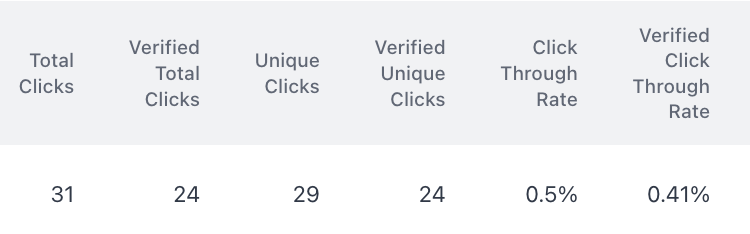
In beehiiv, verified clicks solves for this problem. According to the beehiiv product team, "We’ve spent months developing a sophisticated data platform that filters out bot activity with precision. By analyzing dozens of signals — such as IP addresses, user agents, and click patterns — beehiiv can confidently identify and exclude bot clicks using our Verified Clicks process." I love this and I didn't even know about it until I started looking at the analytics of the first few emails and started seeing this:
📧 Polls with beehiiv
As I mentioned in the intro to this piece, I love polls and have been excited to test them out. Polls are such a simple way to create back and forth with an audience, to get feedback, inspiration, etc. It's much easier to ask a reader for 10 seconds of their time to click one button vs. spending 10 minutes to redirect to a short survey.
This week we built and launched our first beehiiv poll. I was excited to see that we could add up to 10 different poll options, which is really helpful when doing a quick, broad survey. Like other features we've tested so far, the builder UI was very intuitive.
We don't have need for it yet, but it was cool to see that polls exist as a seperate assets, not tied to the individual post. If we wanted to run the poll in multiple publications or repeat the poll, weI could do that and have all the results pooled together.

📧 Automations with beehiiv
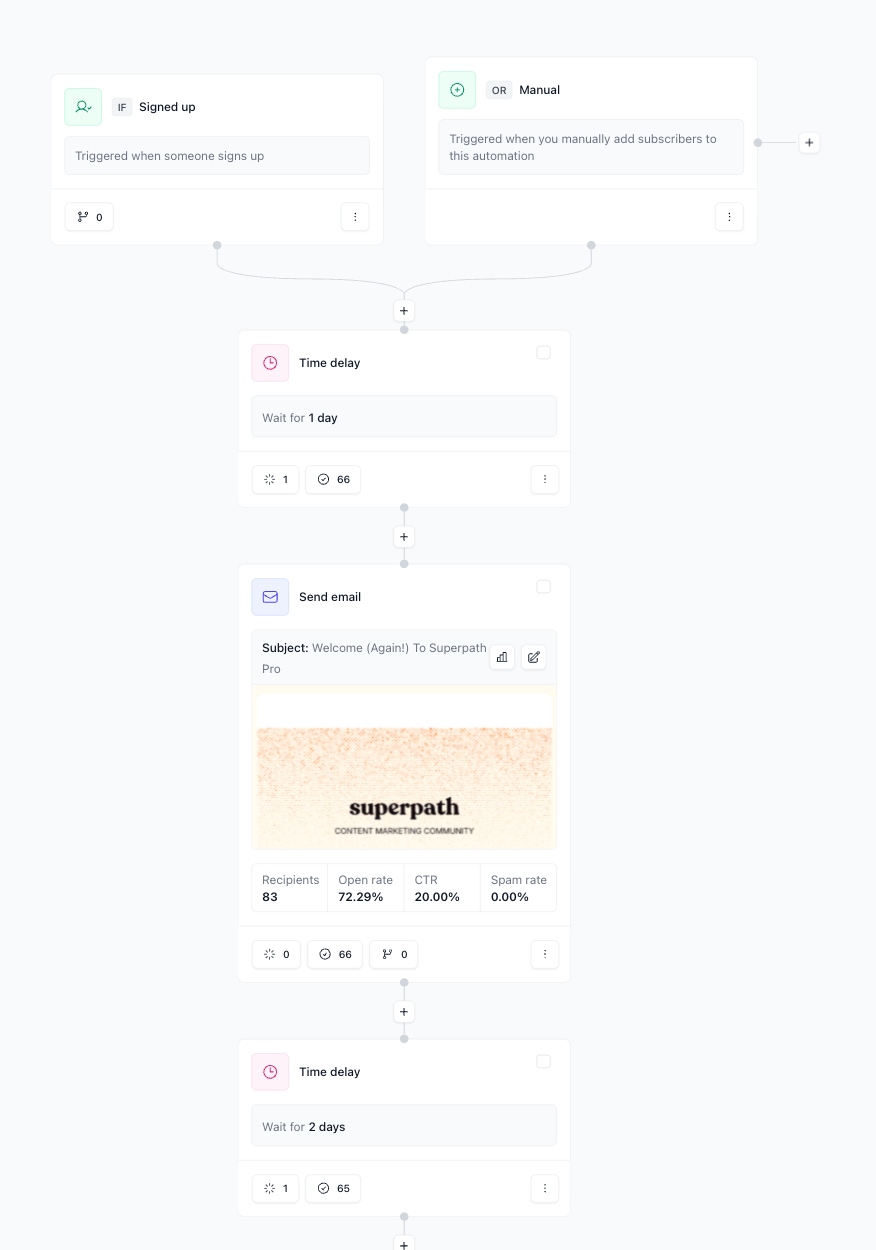
We actually set up automations a while back when we first started sending weekly Superpath Pro only emails. Our goal was to move all of our email out of our old platform, which included the 14-day nurture sequence for new free trial signups.
So now, when someone signs up for a free trial (in Stripe), that triggers a Zap, which adds that person to the Superpath Pro email list and triggers the nurture workflow. It took only a couple hours to move all of our nurture emails over to beehiiv and set up this automation workflow.
📧 Podcasts with beehiiv
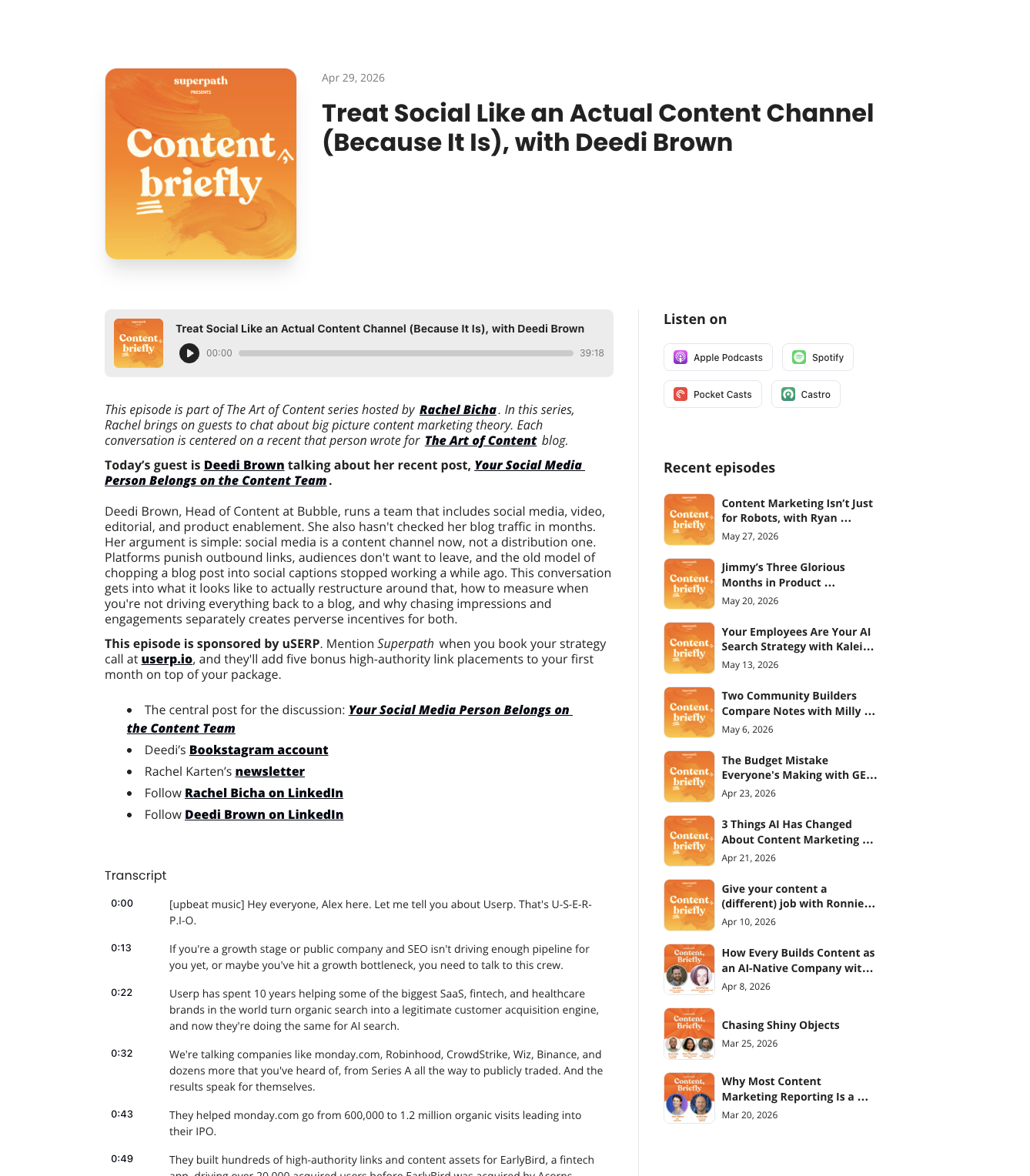
Huge news from beehiiv last week. They launched a podcast platform. We had no idea that they were planning to do this, but I got really excited when I saw the email. It makes all the sense in the world for our podcast and newsletters to be in the same spot.
It turned out to be pretty easy to move Content, Briefly and it's corresponding RSS feed over to beehiiv. TBH, I didn't really know how a podcast feed publishing feed worked in the first place, so I learned a little along the way. I also didn't think that moving platforms would allow us to host all 150 or so old episodes on beehiiv, but it did!
I love how the beehiiv podcast pages come with transcripts built in too.
When I started this project, the goal was to bring the newsletter into beehiiv, but with the move into podcasts, it's clear that beehiiv is now going to be our complete hub for the media side of the Superpath business.
📧 Podcasts with beehiiv (update)
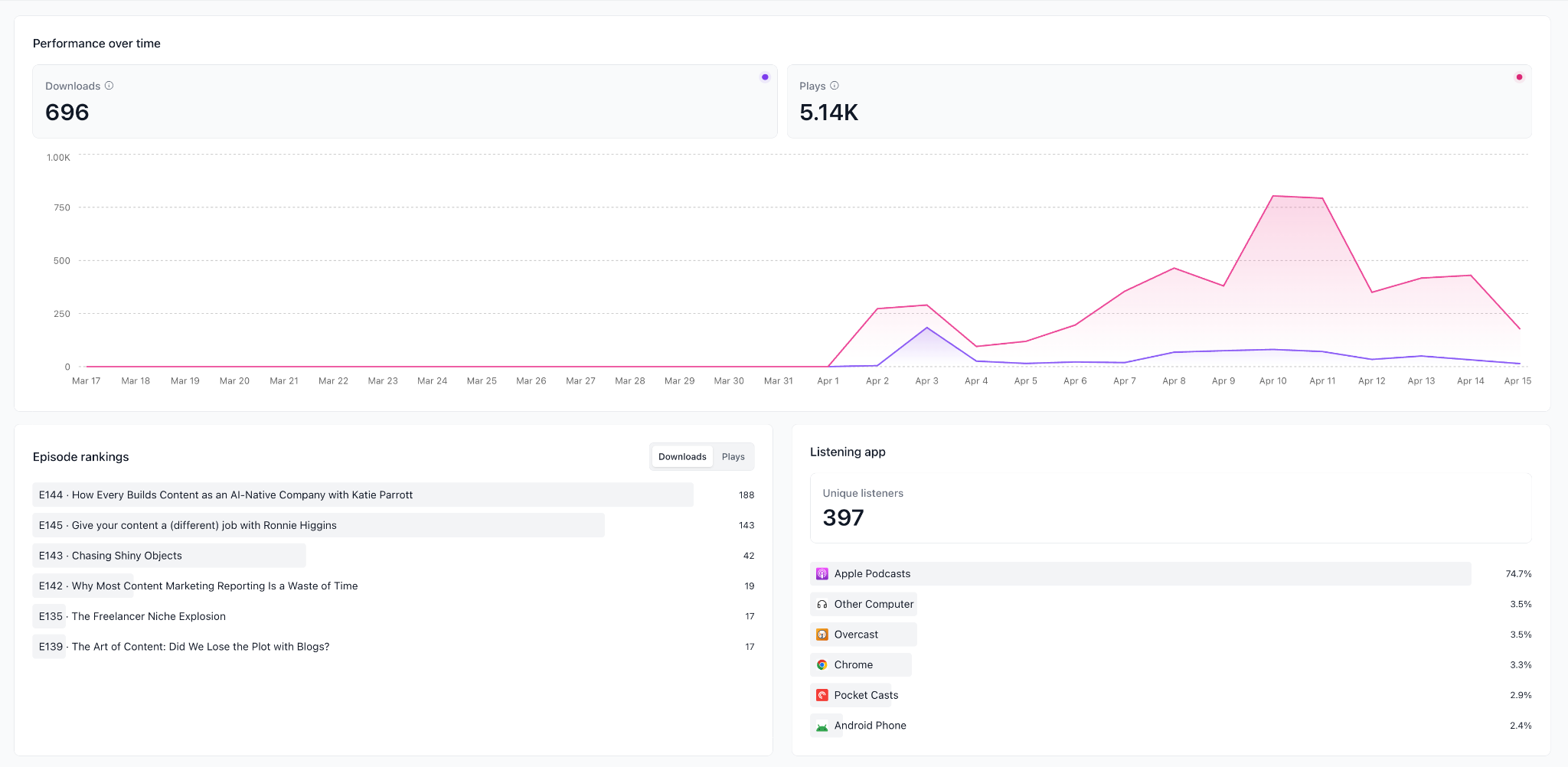
One week into hosting podcasts on beehiiv and we now have our first couple of new episodes up. I'm already finding the analytics much better than that offered by our previous provider. I still have a lot more to learn about podcast analytics, but at least now there's one dashboard where I can see how many downloads each episode is getting without having to click on each individually.
I'm still kind of confused by the download vs. play metrics. Similar to verified and unverified clicks in the newsletter analytics, beehiiv offers two main metrics — downloads and plays. 'Plays' has an information hover that says, "Every request for episode audio, without bot filtering or same-day IP deduplication." The 'play' number is unreasonably higher than downloads, so I'm, just going to focus on downloads until I understand how to better interpret 'plays.'
📧 Recommendations with beehiiv
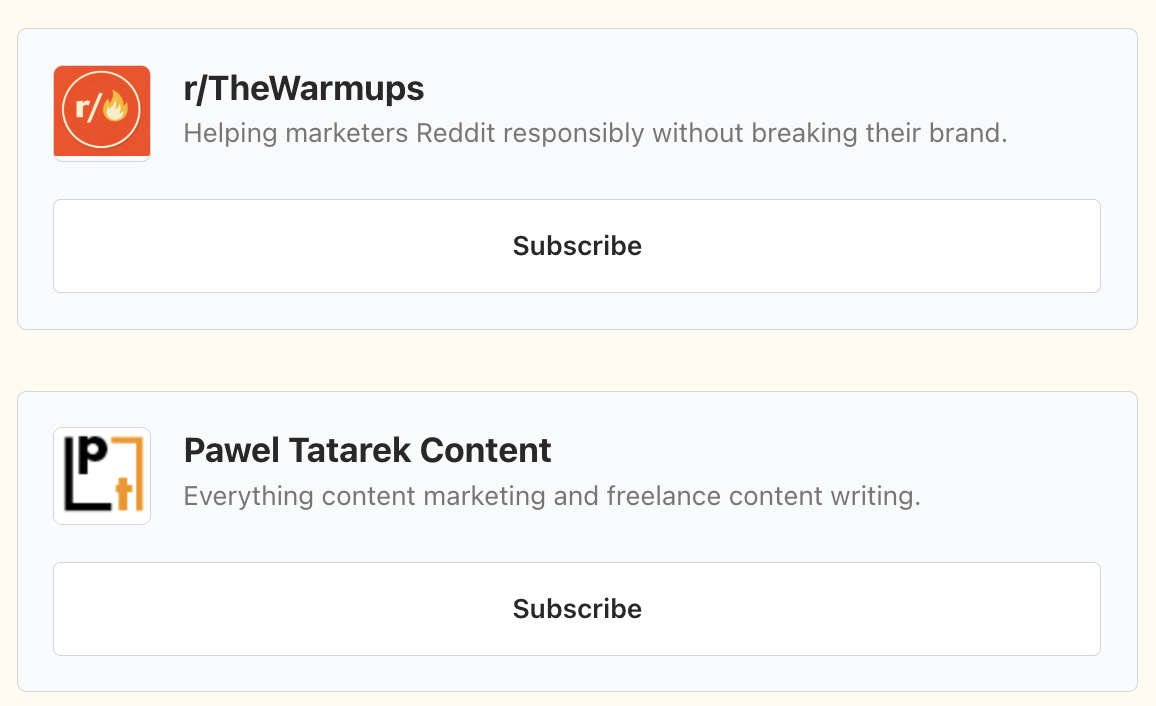
For my first experiment with growth tools in beehiiv, I tried out recommendations, by highlighting a few newsletters written by members of the Superpath Pro community. Like most everything else, it was very easy to search to find the newsletters and add nice little subscribe buttons to the bottom of our newsletter.
One caveat — you can't recommend a newsletter that hasn't been posted in the last 90 days. One of the newsletters I was hoping to recommend did not show up in the search results. It didn't say why. I had to do a little digging to figure out that's why it wasn't allowing me to recommend that one.
📧 Website analytics with beehiiv
Email tools of the past treated newsletters as a one-time send. With beehiiv, every issue lives as a post on your own site with its own analytics, making the newsletter content more evergreen. Just a few months ago, beehiiv launched websites, so I'm excited to see how their analytics continue to grow. For now, very cool, to combine email opens and post visits on the website to get a full view of how many eyeballs saw the content.
.png)
📧 Posts Report in beehiiv
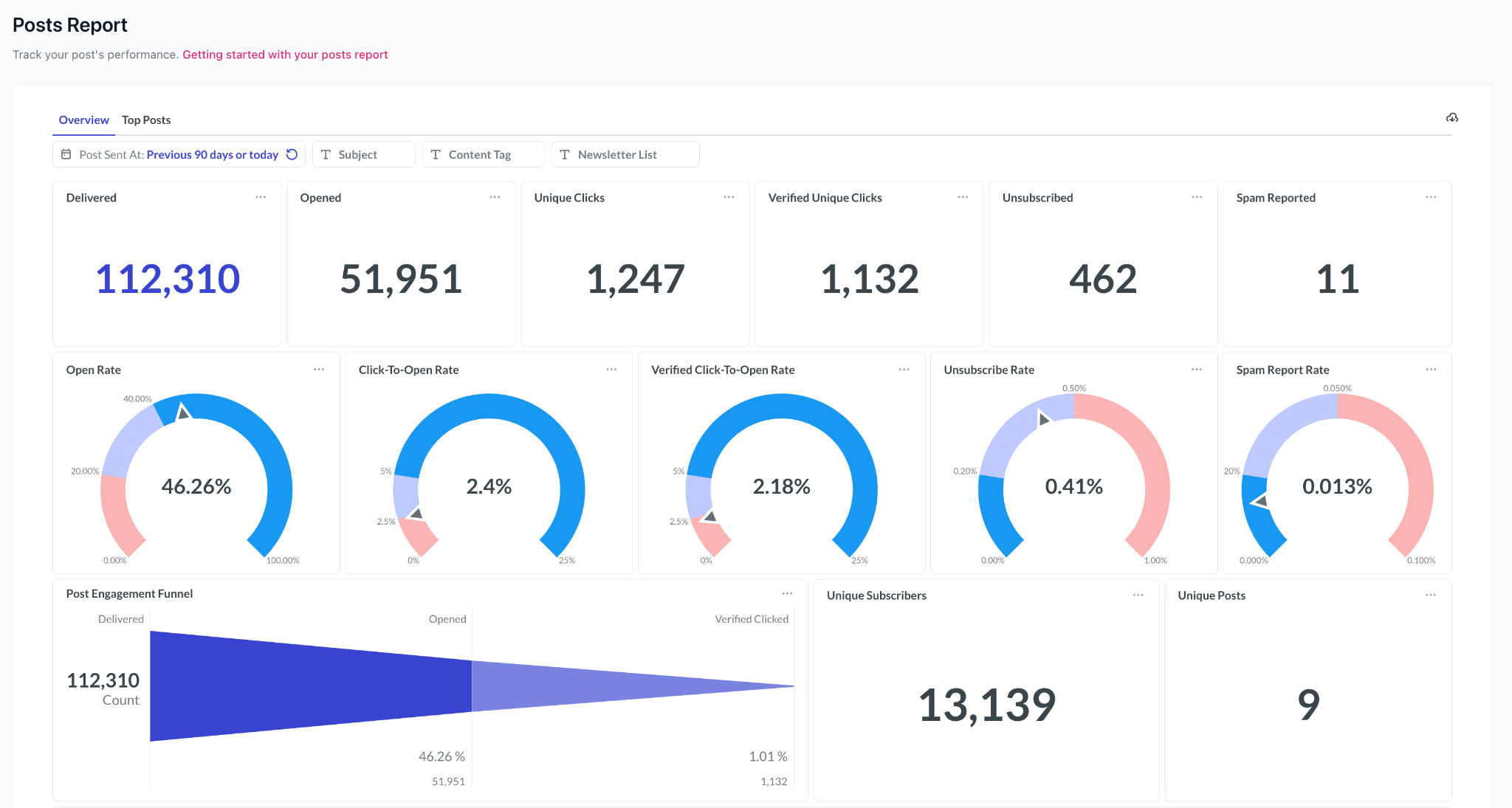
There are a bunch of great ways to slice and dice data in beehiiv, but I really like this one dashboard. These gauge charts are particularly helpful for context on our open rate (great!) and our click rate (not great, but also not really what we’re optimizing for in this newsletter). This seems like pretty straightforward data, but being able to quickly filter by date or content type and pull these metrics has not always been that easy on other platforms of the past.
📧 Ad Network in beehiiv
We usually source our own ad sponsors, but I wanted to test beehiiv's ad network. Having an ad network like this is particularly helpful, if you are just starting to monetize your list or don't have a big team to sell ads for you. It’s super simple. I had 15 companies on offer. My guess is that they are based on the topic area of the newsletter. When we created the newsletter we said our topic are was 'marketing' so the options are companies that want to market to marketers.
Most of company offers had multiple ads to choose from. Many of them were pieces of gated content. It took about 30 seconds to add a Hubspot ad to the newsletter.
My understanding is that the ad network is available after you build an audience of 1,000.
.png)
📧 Ad network with beehiiv (update)
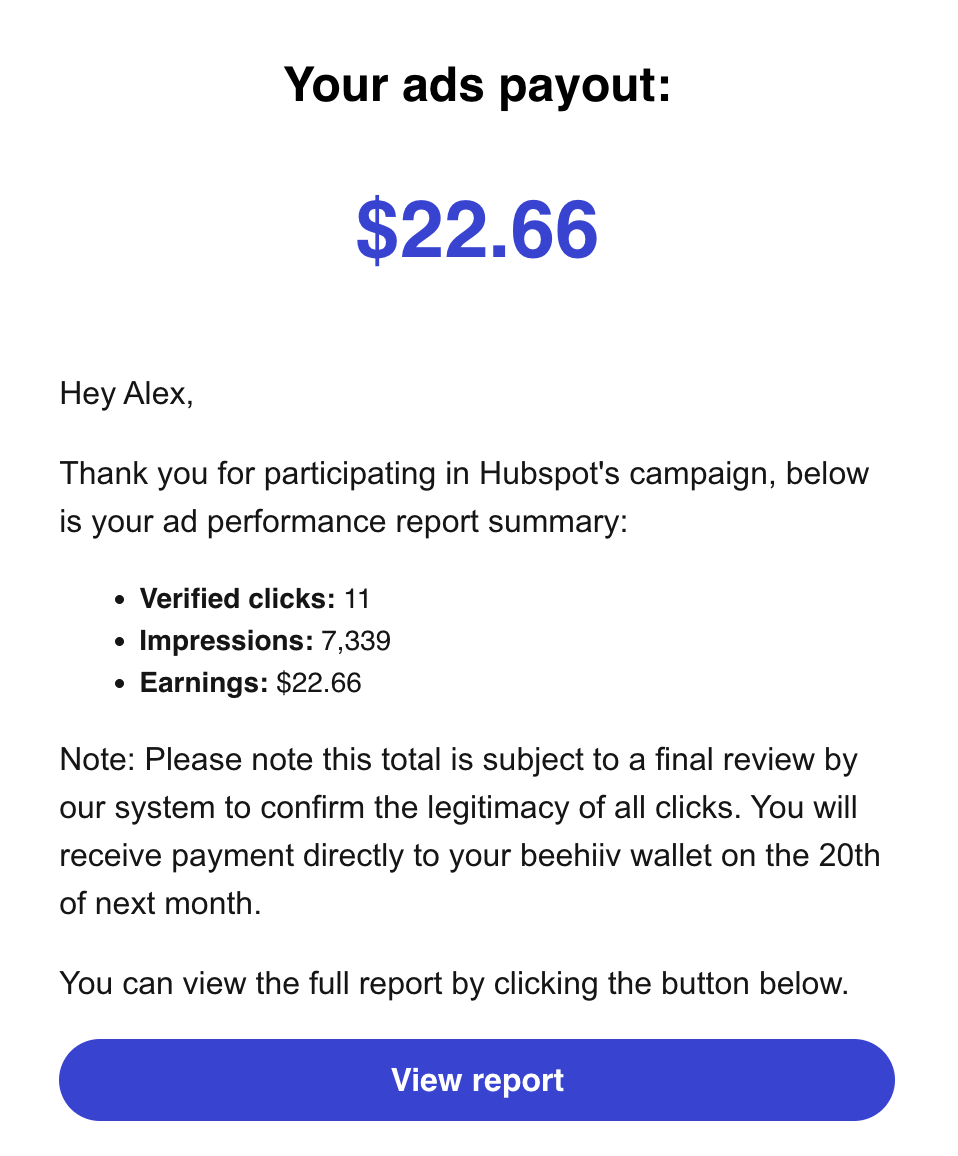
Last week's HubSpot ad earned $22.66 from 11 verified clicks. We buried it at the bottom of the newsletter and didn't promote it at all, but a few of you clicked through anyway. Getting that payout email was pretty cool. With a better placement and the right audience fit, I could see this becoming real revenue for not a lot of effort.
📧 Audio newsletters with beehiiv
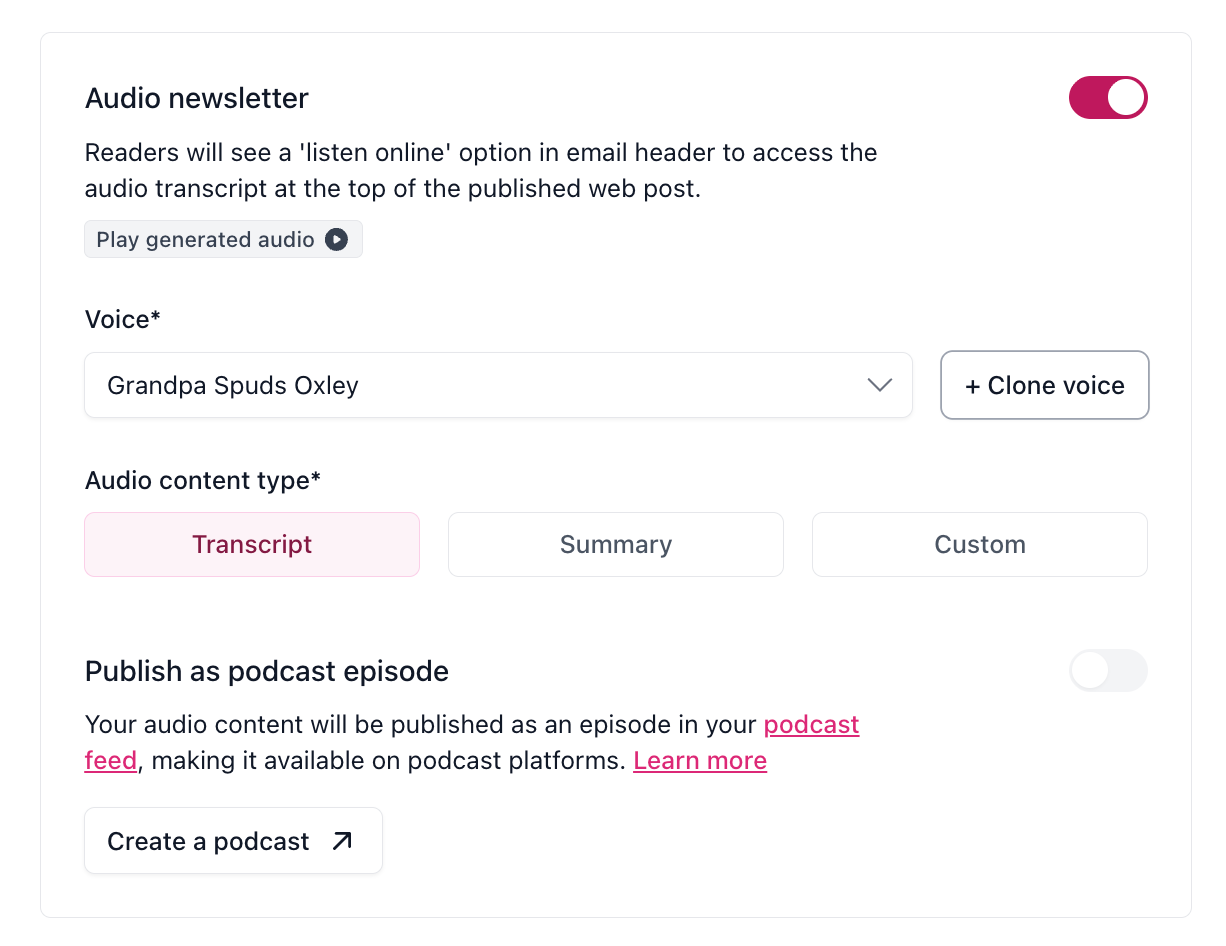
It's the last week of this journal and I'm still discovering new things. I turned the previous week's post into an audio newsletter. There's lot's of customization here. You can have an AI voice of your choosing (lots of options including my favorite, Grandpa Spuds Oxley) read either the entire post or some portion of it. You can actually create an AI prompt to say "create and read a two minute summary" or something like that. I opted to just have Grandpa read the whole thing. It took a few minutes to process, but came out very clean.
.svg)
Alex is the CEO of Superpath.
%20(2).png)
